Homelab v2
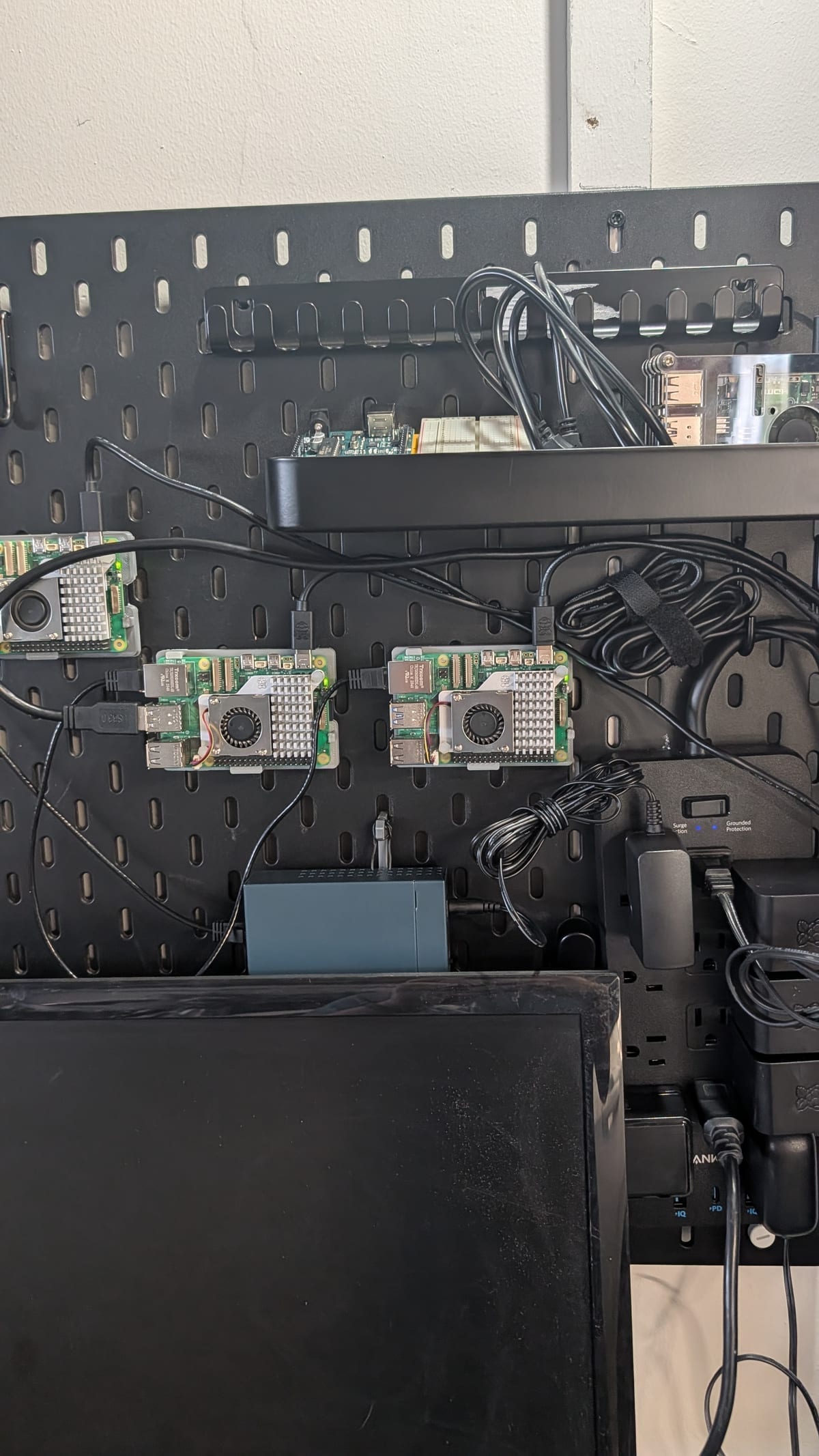
I think it's fitting that the main project that brings me back to posting here is my homelab project.
For those that didn’t check out my original post on this topic, check out the original here from back in April.
At the time, I had a pretty good idea of what I wanted to do, which was testing some AI workloads and playing around with k3s. That idea mostly ran into the obvious limitations of the hardware; RPis can run AI workloads, just not well enough to do much with in real time, where their tok/s was too low. I had the secondary idea to have some job scheduling, but without a solid idea of what workloads or workflows would “fit” and be able to be executed with the models running on these poor small Raspberry Pis, I kicked the project down the road.
That changed a few weeks ago, when the original control plane node burned out and had to be reflashed. Around this time I also finished building out the area of my garage to my end goal of having the Raspberry Pis get organized on a pegboard. So with the physical aspect and the hardware aspect of the project ready to be set up like how I envisioned, I moved back into focusing on the homelab project to build out what I considered a more “real” homelab infrastructure. I also had a few more use cases I wanted to try out, so everything lined up at the perfect time.
So let’s do a quick recap of the project for those who didn’t read about the original version, and to provide a bit more detail this time.
The hardware
I mentioned in the original post that the devices that make up my homelab are Raspberry Pis, with an older Raspberry Pi 4, 4GB being the control surface. Since that was the least powerful machine, while also being the most active a majority of the time, I knew I’d probably need to shift/change this. Once this machine burned out/crashed, I reflashed it and put it “at the end of the line” so renamed it to “Delta”, continuing the trend of using the NATO Phonetic Alphabet naming scheme for my hardware nodes. This means I had the following:
- Raspberry Pi 5 8GB “Alpha”
- Raspberry Pi 5 8GB “Beta”
- Raspberry Pi 5 8GB “Charlie”
- Raspberry Pi 4 4GB “Delta”
I planned to move the control plane to the “Alpha” node, to leverage the fact it's more powerful than the Raspberry Pi 4, and hopefully give the 4GB machine more breathing room to actually do something on its own.
I also planned to build out the architecture a little differently this time to leverage some other technologies I avoided for the sake of speed (and to spam more Copilot before the pricing change!). Namely, this go-around I wanted to:
- Utilize Terraform as much as possible, even though its primary use case isn’t usually to provision “bare metal servers”. Either way, I wanted to see what it could offer in such a scenario.
- Utilize Helm to manage deployments of services that will actually be able to run on the cluster such as:
- PostgreSQL
- Uptime Kuma
- Gitea
- Prometheus
- Grafana
The main goal is to leverage the homelab in a more traditional “cluster of servers” manner that I wouldn’t get the opportunity to mess around with without spending a bunch of money on provisioning on some cloud infrastructure and not being able to keep it running without continuing to spend a bunch of money monthly. Instead, I already spent all the money on these machines… and these machines look cool!
The other main hardware I wanted to rope in, which I knew would be a requirement for some of the services I wanted to run, is an NFS server. I grabbed my hard drive mount, an old 1TB SSD and hooked it up to one of my nodes, and ran the gauntlet on setting the nodes up so they can be provisioned with Terraform so everyone in the cluster is aware of where to dump their data through the network. This worked, but there are a few parts of this I feel like I should optimize, but that's for later in the post.
Architecture, configuration and YAML files everywhere
To be fair, Terraform doesn’t use YAML… but HCL isn’t much different from YAML where it counts, as they are just file formats for configuration. Terraform was honestly an interesting choice to start with, as it made me question if a more “Docker-oriented” setup would have been a more sensible route, such as using Docker Swarm. Regardless, utilizing Terraform allowed me to provision the bare metal RPi nodes and some Bash scripts in a two-step process like:
terraform init
terraform apply -target=local_file.bootstrap_k3s
Where the bootstrapping code wraps and runs a bash script like so:
resource "local_file" "bootstrap_k3s" {
  filename        = "${path.module}/bootstrap-k3s.sh"
  file_permission = "0755"
  content = templatefile("${path.module}/templates/bootstrap-k3s.sh.tftpl", {
    control_plane_ip = local.control_plane_ip
    ssh_user         = var.ssh_user
    kubeconfig_path  = local.kubeconfig_path
    workers          = local.workers
  })
}
Here are the nodes I defined earlier in my variables.tf file:
variable "nodes" {
  type = map(object({
    ip   = string
    role = string
  }))
  default = {
    "rpi-5-8gb-alpha"   = { ip = "192.168.1.1", role = "control-plane" }
    "rpi-5-8gb-beta"    = { ip = "192.168.1.2", role = "worker" }
    "rpi-5-8gb-charlie" = { ip = "192.168.1.3",   role = "worker" }
    "rpi-4-4gb-delta"   = { ip = "192.168.1.4",  role = "worker" }
  }
}
Later if (or really when, hehe) I get more nodes, I should only need to set up the SSH keys, and handle some low-level infra work for the RPi itself, then update this file with the new node IP, and re-run the bootstrap script. This ended up being so easy initially I was actually suspicious I did it right. It wasn’t until I started moving on to adding services into the k3s cluster that I actually believed I did this earlier step right.
Speaking of services, I finally got around to using Helm and I love it. Well, except for the part of writing out all the magical YAML contents required to define all the different kinds of services I wanted to run on the cluster. I won't lie and say I toiled through the depths of the internet manually tweaking my configurations for the services I wanted. No, I leveraged AI to help define the contents. Luckily this was pretty seamless since AI can iron out all the YAML configurations much more easily for these common services than I ever could by hand. As with anything AI-generated, I personally checked and verified what was going on once given. This still leaves gaps in my knowledge for anything the AI missed that I wouldn’t be aware of, but I don’t blame myself too much here for getting something running to build on.
Once I had some of the core services set up, namely PostgreSQL, Prometheus, and Grafana, I started on Gitea and expanded/leveraged Prometheus itself with other operational metrics and played around with Grafana. I have never directly used Grafana, but have a lot of experience with similar monitoring tools, so it was familiar software to get going.
Actual code and use
The original iteration had Gitea, but I never leveraged it beyond hypothetically looking into mirroring my GitHub repos, which I’ll probably do in the future. This time I had a pretty distinct purpose, because I wanted Gitea to act as my image host for smaller apps, and a way to run CI/CD pipelines from within the cluster using Gitea runners that run on 2 of the nodes. Not only do I run workloads for smaller codebases, the homelab infrastructure repo being used is saved on the homelab infrastructure itself!
Grafana is the main thing I’m working with on my homelab right now, as a front for all the data being dumped into Prometheus, I get to use all my experience building dashboards from disparate data to good use! Since the hardware is a hard restriction this is my main focus as I cannot just provision another Raspberry Pi to handle extra load. I’m pretty sure I’ll expand on this in a later post, but with what I have within Grafana right now I’m pretty happy. Combined with just running k9s I get a pretty solid picture and am able to debug as needed.
In terms of code running on the cluster, I’m diving back into Go as it should run leaner within the network than if I used Node.js. Having the repo go through CI/CD and “release” into an image on the cluster that the cluster can later download blows my mind, even though this isn’t fancy magic; it's just DevOps lol.
I’m writing a small Go full stack app just as a reminder for Golang development, then moving to my two new use cases, which will leverage everything before to a whole new level. This first app I’m mixing in PostgreSQL, Echo, HTMX, and sqlc for some more exposure, and of course Docker. A lot of this will carry over, but integrate a few newer things I’ll have to build out around these core standards. I’m purposefully avoiding my common technologies of anything JavaScript-based, so this is foreign but really fun to work with as it’s completely different than what I’m used to.
Those newer things are where things have gone from “hey this is pretty cool” to closer to “wait are you going kinda far with this?”
Adding new elements to the family
I still have the 4 main nodes, but I bought an Arduino Uno kit, to be able to work with some real-world hardware, and work at a lower level than I have in a long, long time. I’m not too interested in the hardware at this time, I’m mostly focused on how to get data off the board and into Prometheus. It's this low level serial data I could/should be more aware of but never had the opportunity to try, plus working with microcontroller technology. I have a few ideas on how to use the microcontroller for a few other projects, but they are far down the line and way beyond what I understand right now, plus it brings me back to when I’d work on physical world projects rather than just all the virtual stuff I do nowadays. Hopefully I keep at it and write about them in the future. :)
The Arduino board’s serial connection being sent over to one of the nodes will be the main project I’m looking to leverage Go and Prometheus, which should be fun. But this isn’t even the only thing that will get hooked up to the homelab that goes way beyond what I originally planned for this point.
I got a 3D printer, and have hooked this up to the cluster as well! I got it secondhand for a solid deal, and have been using it to 3D-print pegboard mounts for the older RPi 4, and mount other aspects of the cluster, existing and missing. I’ve also leveraged the fact OctoPrint, the software I’m using to manage the 3D printer remotely, has the ability to report data to Prometheus to dump even more data into my Grafana dashboards, and observe/monitor my printing from afar. I might write up a separate dedicated post to all the extra work I put into my print setup. Either way it’s been a fun change of pace away from just software.
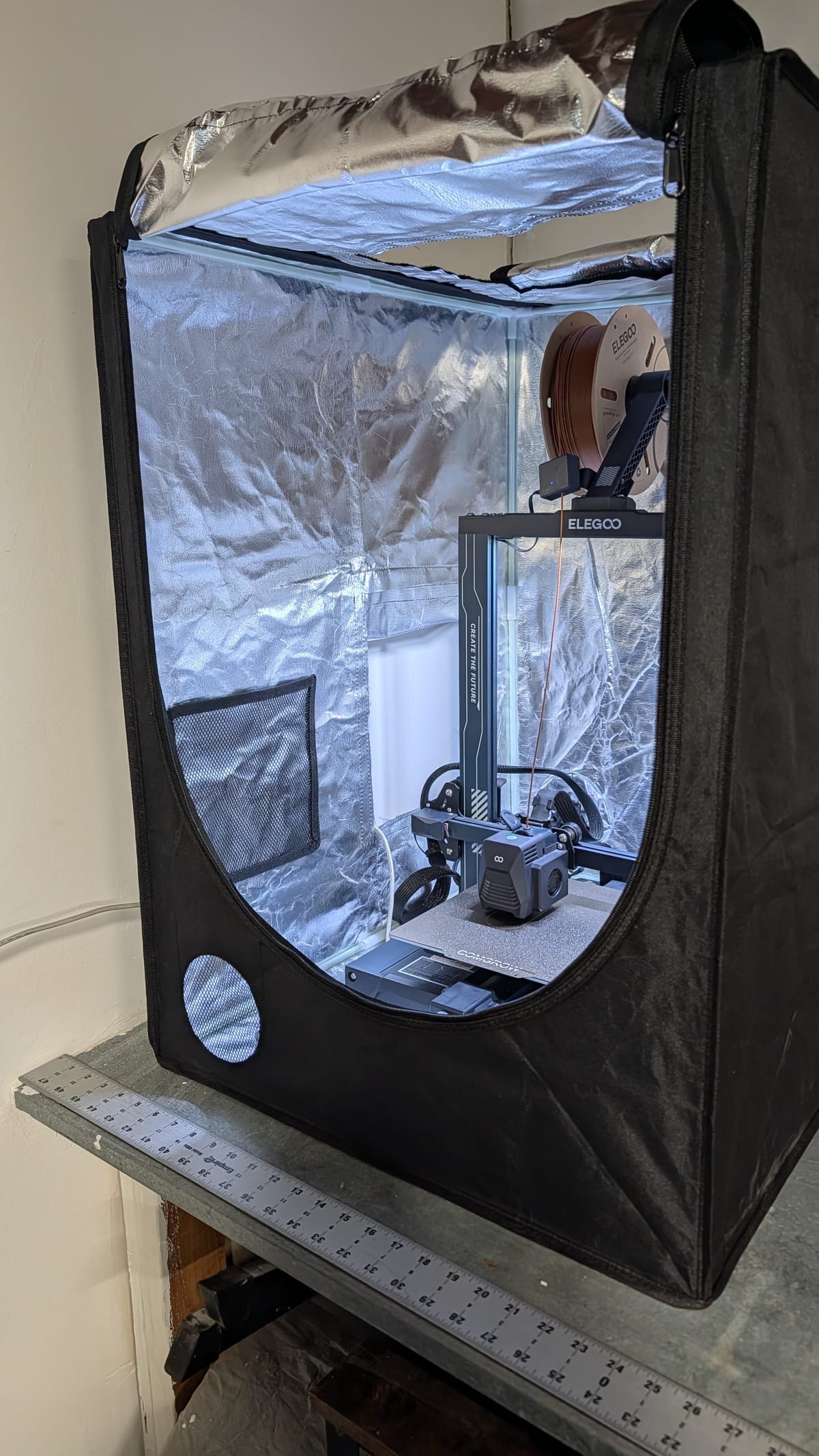
So with these two new “members”, new use cases and a whole new working area to play around with all this stuff I’m honestly looking forward to building and learning again after a long while. Lots of stuff to learn and use!
Next steps
I mentioned earlier that there are a few things with the current setup that I feel like I should optimize. The one part I actually have some hardware for, but it's not in use, is the fact all the RPi nodes are on the same general Wi-Fi connection rather than hardwired via Ethernet. The main practical reason for this is the router is in another room, so I have to route and drill through at least one wall to get the Ethernet cable all the way from the cluster to the router.
Until I do that, I believe the performance of the network will not be that great, to the point I think some aspects of my network outside of the cluster might be degrading (streaming isn’t as stable as it once was lol). That is a soon-to-be-fixed step and a weekend project, along with all the other really interesting stuff I plan on leveraging the homelab for! From custom dashboarding off Prometheus itself, to prototyping a secondary project from front-end-only to full stack, to just working on more Go code within a Docker/Kubernetes environment day-to-day, I really look forward to this!
The other considerations I’m aware of but thus far have been avoiding are the hardware weaknesses related to the cluster itself. There’s a single NFS drive that has no backup plan; if that goes down, so does all my data. The HD mount being used for the drive itself has another slot that I plan on setting up with an old disk drive for redundancy, but I need to look into those options to understand if that works or if I should dedicate another SSD drive to the job, or just outright buy an official NAS unit and shove the SSDs in there.
Finally, the actual configuration files I have on my local machine that represent parts of the configuration repo that are not checked into Git, such as the Terraform state file, need to be saved somewhere else that isn’t the infra itself, because obviously they're no use if my machine goes down or the cluster itself goes down. I might look for an external service to help back this up, but it is another known weakness that isn’t addressed… yet.
All things considered, it’s been a blast setting all this up and building stuff out, and I’m really looking forward to utilizing it for different projects.
Until next time, keep learning, keep growing, and keep asking questions!